LinkedIn Headshot: How to Get a Perfect Profile Photo
Get the perfect LinkedIn headshot: technical specs, styles by industry, common mistakes, and how to create one with AI in under a minute. Free tool included.
Your LinkedIn headshot is the first thing recruiters, hiring managers, and professional connections see before reading a single word on your profile. Whether you are learning how to take a professional headshot at home or looking for a faster option, getting this right shapes whether someone clicks, connects, or scrolls past you. LinkedIn's own data shows that profiles with a professional headshot receive 14 times more views.
Most professionals still use a cropped vacation photo, an outdated selfie, or no photo at all. You already know your LinkedIn photo matters. The real question is how to get a linkedin headshot that actually works, quickly and without spending hundreds of dollars on a photographer.
This guide covers everything: LinkedIn's exact technical specs, the six elements of a great headshot, the best styles by industry, common mistakes, and three ways to get a professional result, including an ai headshot generator that produces polished headshots from a single photo in under a minute.
- Profiles with a linkedin headshot get 14x more views and significantly more recruiter messages
- LinkedIn requires minimum 400x400px, JPEG or PNG, under 8MB, and displays your photo as a circle
- Your face should fill 60-70% of the frame with even lighting and a neutral background
- AI tools create a linkedin professional headshot from one photo in under a minute, starting at $9
- Update every 1-2 years or when your appearance changes significantly
Need a linkedin headshot now? Upload one photo and get a professional result in under a minute with our free AI headshot generator.
Keep reading for tips on what makes a great LinkedIn photo.
In This Guide
- Why Your LinkedIn Headshot Matters
- LinkedIn Photo Requirements
- What Makes a Great LinkedIn Headshot
- LinkedIn Headshot Styles by Industry
- Common LinkedIn Photo Mistakes
- How to Get a LinkedIn Headshot: 3 Options
- FAQ
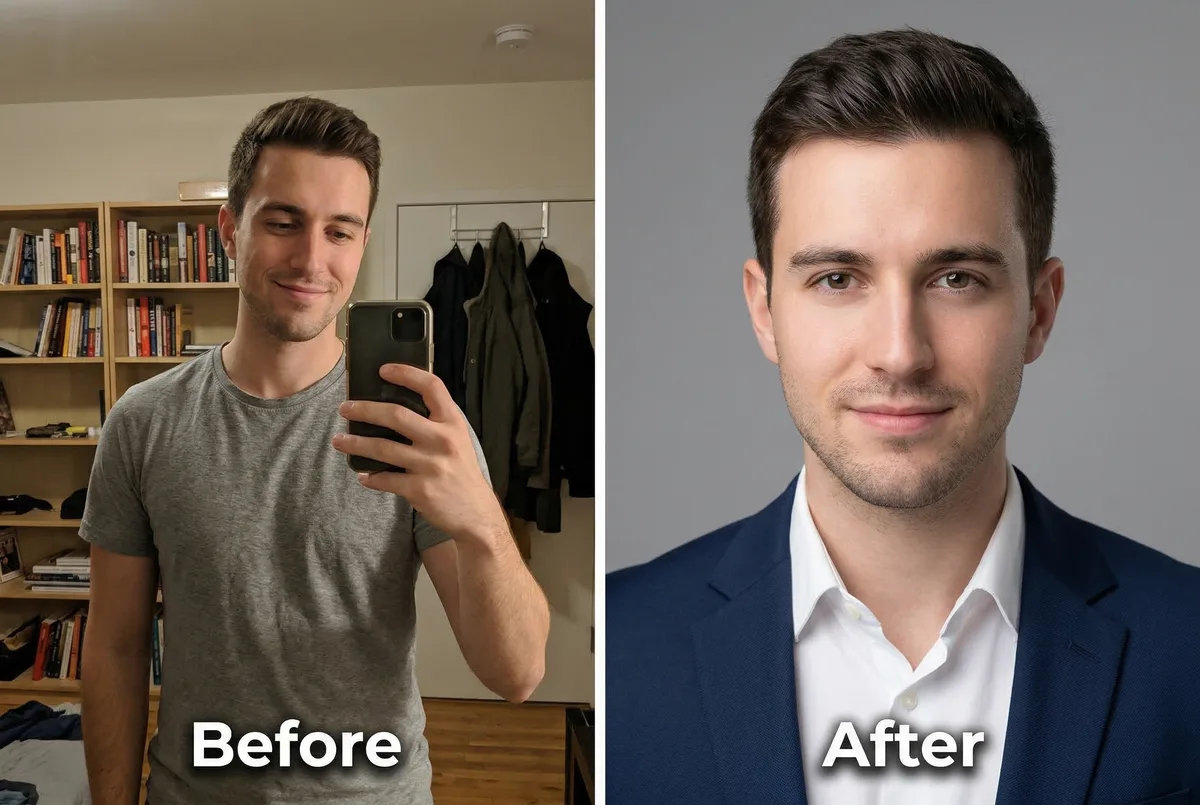
Why Your LinkedIn Headshot Matters
LinkedIn profiles with a professional headshot receive 14 times more views than profiles without one. They also receive significantly more connection requests and InMail responses. On a platform where three million people get hired every month, your linkedin photo is working for you around the clock, or it is working against you.
The psychology is well-documented. People form trust judgments from a face in under 100 milliseconds. Researchers call this thin-slicing: the tendency to make snap decisions from minimal visual information. Your linkedin headshot is often the only visual cue a recruiter has before deciding whether to click on your profile. An unprofessional or missing photo signals that your profile is inactive or that you don't take your professional image seriously.
There is also a compounding effect. More profile views mean more connection requests, endorsements, and profile interactions. LinkedIn's algorithm interprets this activity as a signal that your profile is relevant, which increases your visibility further. Updating your linkedin photo even triggers a profile update notification to your network, temporarily boosting your placement in search results and feeds. Your headshot is not just a photo. It is an algorithmic lever for your personal brand.
LinkedIn Photo Requirements
LinkedIn has specific technical requirements for profile photos. Meeting these ensures your linkedin headshot displays correctly across devices and looks sharp in search results. For a complete breakdown of dimensions and best practices, see our guide on linkedin profile picture size.
Dimensions and Aspect Ratio
LinkedIn requires a minimum of 400x400 pixels and accepts up to 7680x4320 pixels. The platform uses a 1:1 (square) aspect ratio. Upload at 800x800 pixels for the best balance of sharpness and file size after LinkedIn's compression.
File Format and Size Limit
LinkedIn accepts JPEG, PNG, and GIF (static only). JPEG is recommended for the best quality-to-size ratio. The maximum upload size is 8MB, though most headshots are well under this.
How the Circular Crop Works
LinkedIn displays your linkedin profile picture as a circle everywhere: your profile page, search results, the messaging sidebar, and the feed. The platform crops a square image into a circle, which means the corners get removed. Center your face in the frame and leave breathing room around the edges. Anything in the outer 10-15% of the image may be clipped on different devices.
| Spec | Requirement |
|---|---|
| Minimum size | 400 x 400 pixels |
| Recommended upload | 800 x 800 pixels |
| Maximum size | 7680 x 4320 pixels |
| Aspect ratio | 1:1 (square) |
| Max file size | 8 MB |
| Accepted formats | JPEG, PNG, GIF (static) |
| Display format | Circle |
What Makes a Great LinkedIn Headshot
Technical compliance gets your photo displayed correctly. These six elements determine whether it actually helps your career. A great linkedin professional headshot balances professionalism with approachability.
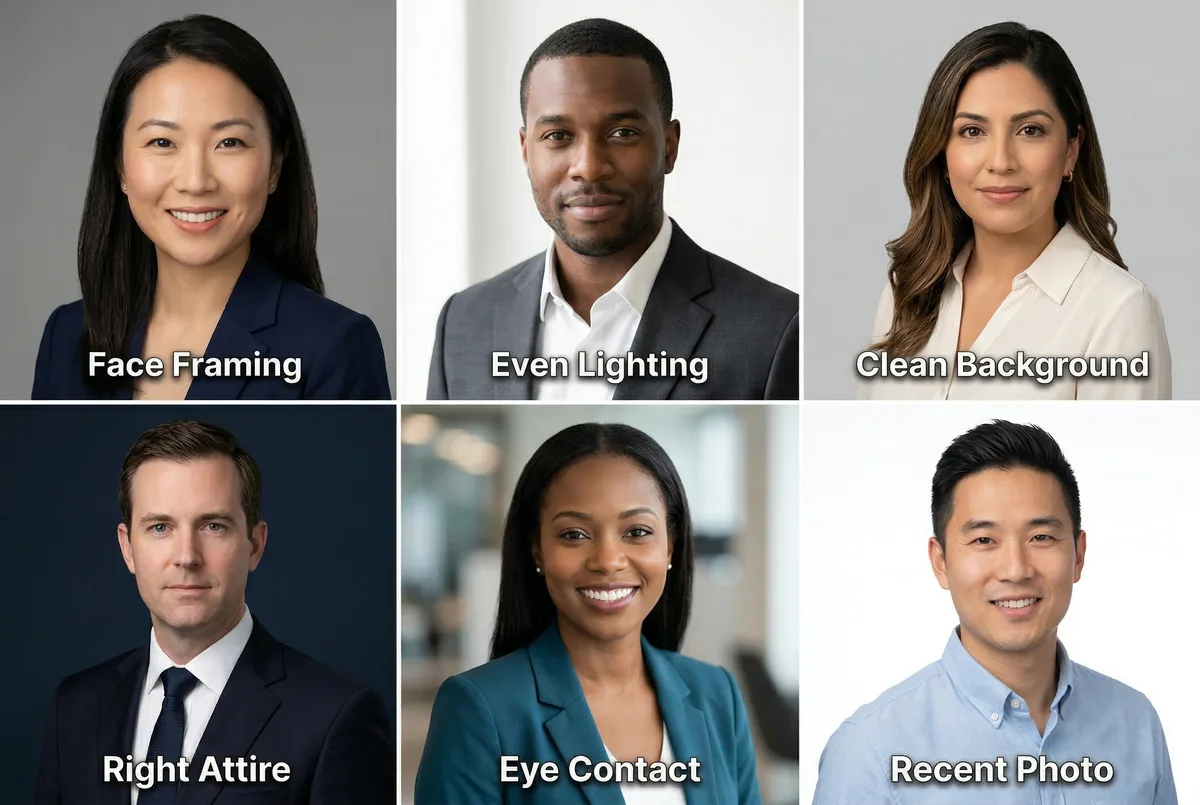
Face Framing: 60-70% of the Frame
Your face should fill roughly 60-70% of the visible area. Head and shoulders visible, with your face as the clear focal point. Too far away and your expression becomes unreadable at thumbnail size (LinkedIn renders your photo as small as 48px in some feeds). Too close and it feels uncomfortably intimate.
Even, Professional Lighting
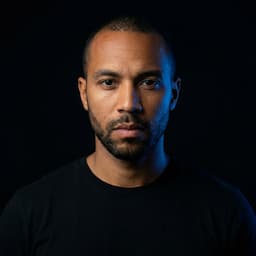
Lighting is the single biggest quality signal in any headshot. Flat overhead fluorescent light looks like a webcam screenshot. Harsh direct flash creates unflattering shadows. Professional lighting, whether from a studio setup or well-positioned natural window light, creates depth and dimension that signals quality instantly.
For a DIY linkedin photo, sit near a large window with indirect sunlight, facing the light so it hits your face evenly. This produces surprisingly professional results.
Clean, Neutral Background
Solid neutral colors like white, light gray, or soft blue consistently outperform busy or environmental backgrounds on LinkedIn. Your face should be the visual anchor, not the bookshelf behind you or the exposed-brick wall.
Exceptions exist: if your industry rewards personality (creative agencies, startups), a tasteful blurred environment can differentiate you. For corporate, legal, finance, and healthcare roles, clean backgrounds win.
Industry-Appropriate Attire
Dress for the role you want to be contacted about. Corporate and finance: dark suit or blazer. Tech: clean button-down or fitted casual top. Creative: show personality, but keep the clothing secondary to your face. Your outfit should match what your clients or colleagues expect to see.
Natural Expression With Eye Contact
Direct eye contact with the camera signals confidence and trustworthiness. Pair it with a slight, natural smile. Research shows profiles with a warm expression receive more connection requests than those with a neutral or serious look.
The biggest mistake: the passport photo expression. Flat, emotionless, stiff. You want to look like someone worth connecting with, not someone being processed.
Recent and Recognizable
Update your linkedin headshot every 1-2 years, or immediately after a significant appearance change. Recruiters who reach out based on your photo expect to see the same person on a video call. An outdated photo creates a trust gap that starts the professional relationship on the wrong foot.
LinkedIn Headshot Styles by Industry
The right style depends on your industry and the roles you want to attract. A linkedin professional headshot for a startup CTO looks different from one for a corporate attorney.

| Industry | Style | Background | Attire |
|---|---|---|---|
| Corporate / Legal | Formal, composed | Neutral gray or dark blue | Suit and tie, formal business |
| Technology / Startups | Relaxed, modern | Clean white or light | Smart casual, crew neck or button-down |
| Healthcare | Warm, trustworthy | Soft blue or white | Clinical attire or business casual |
| Creative / Marketing | Personality-forward | Subtle color or blurred environment | Expressive, bold colors welcome |
| Finance / Consulting | Polished, authoritative | Dark neutral studio | Dark suit, conservative |
| Real Estate / Sales | Approachable, confident | Warm blurred interior | Business casual, welcoming smile |
The common thread: every linkedin headshot should clearly show your face, signal professionalism, and match the expectations of the people you want to reach. When in doubt, go slightly more formal than your daily wear. For a deeper look at what makes a strong photo across industries, see our complete linkedin profile picture guide.
Common LinkedIn Photo Mistakes
These mistakes actively hurt your profile visibility and credibility. Each one is easy to fix once you know what to look for.
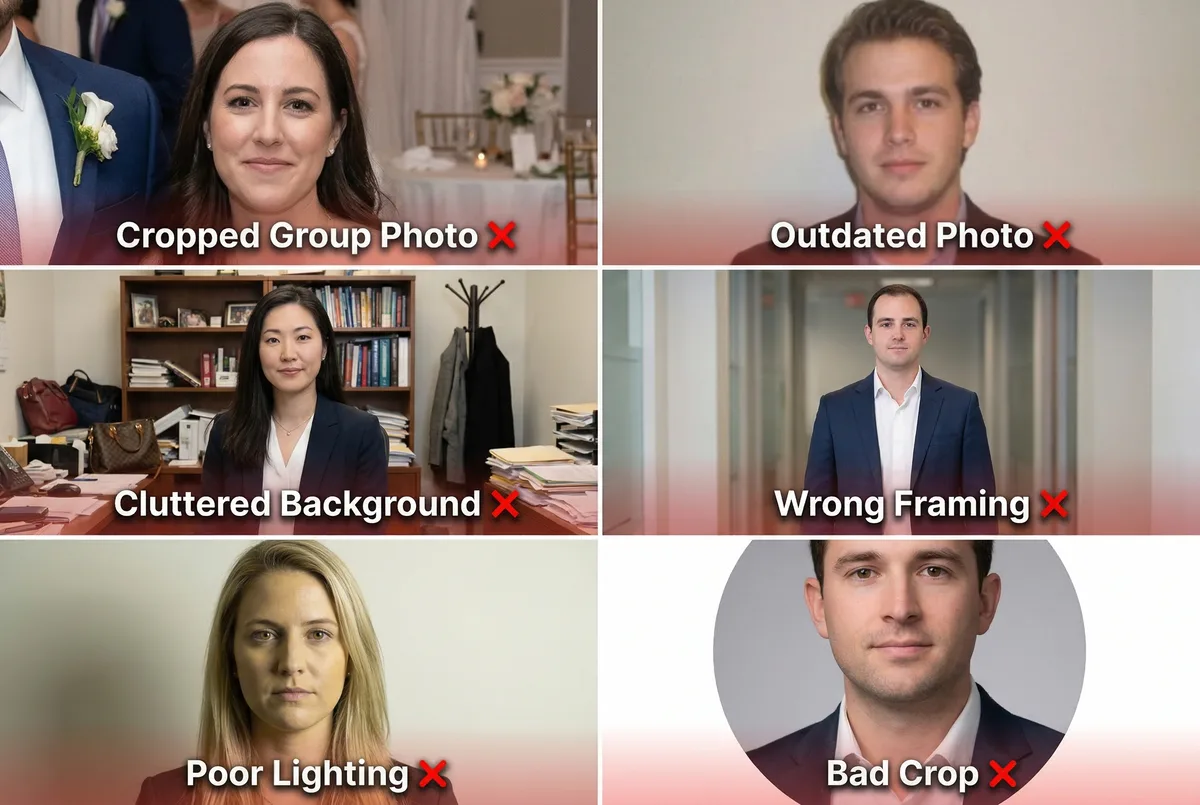
Using a Cropped Group Photo
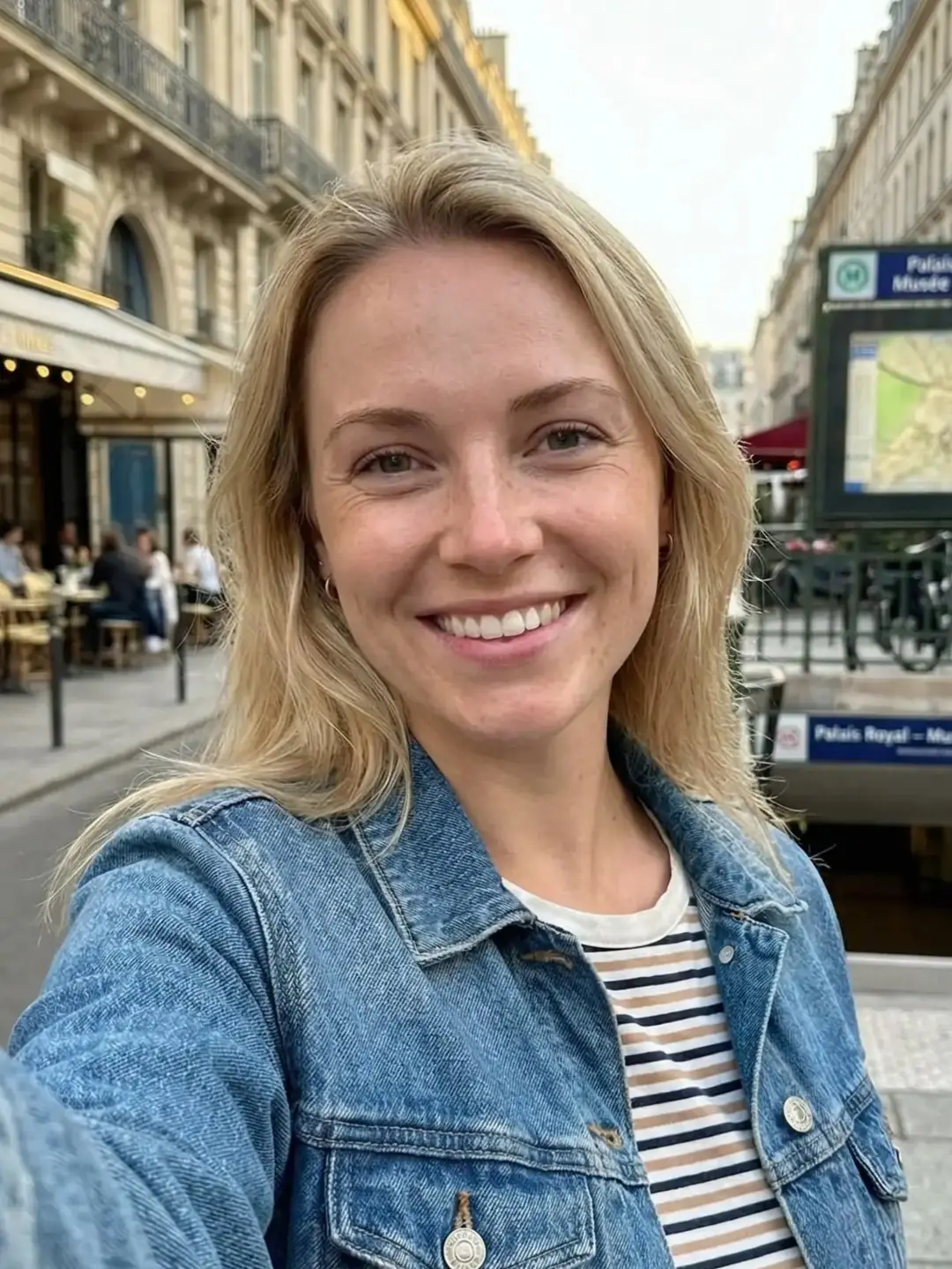
A linkedin photo where you can see someone else's arm, a wine glass just out of frame, or a wedding reception background communicates that you did not care enough to take a dedicated headshot. It takes 60 seconds to get a proper one with an AI tool.
Outdated or Unrecognizable Photo
If your linkedin headshot is five years old or from before a significant appearance change, it creates an awkward moment when someone meets you on video. You look different from your profile, and that mismatch undermines trust before any conversation starts.
Distracting or Cluttered Background
A messy office, a kitchen counter, or a busy street scene behind you pulls attention away from your face. At LinkedIn's thumbnail size, a cluttered background turns your photo into visual noise.
Wrong Framing
Full-body shots, distant group crops, or extreme close-ups all fail on LinkedIn. Your face needs to be the obvious focal point. Head and shoulders, face filling 60-70% of the frame.
Poor Lighting
Harsh shadows across your face, backlit silhouettes, or the yellow cast of indoor fluorescent lighting make even well-composed photos look amateur. Good lighting is the fastest way to upgrade any linkedin photo.
Ignoring the Circular Crop
LinkedIn crops your photo to a circle. If your headshot was composed as a rectangle or your face is positioned off-center, key elements get cut off: the top of your head, your chin, or one shoulder. Always preview in LinkedIn's circular frame before publishing.
How to Get a LinkedIn Headshot: 3 Options
You have three paths to a professional linkedin headshot, each with different tradeoffs in cost, time, and quality.
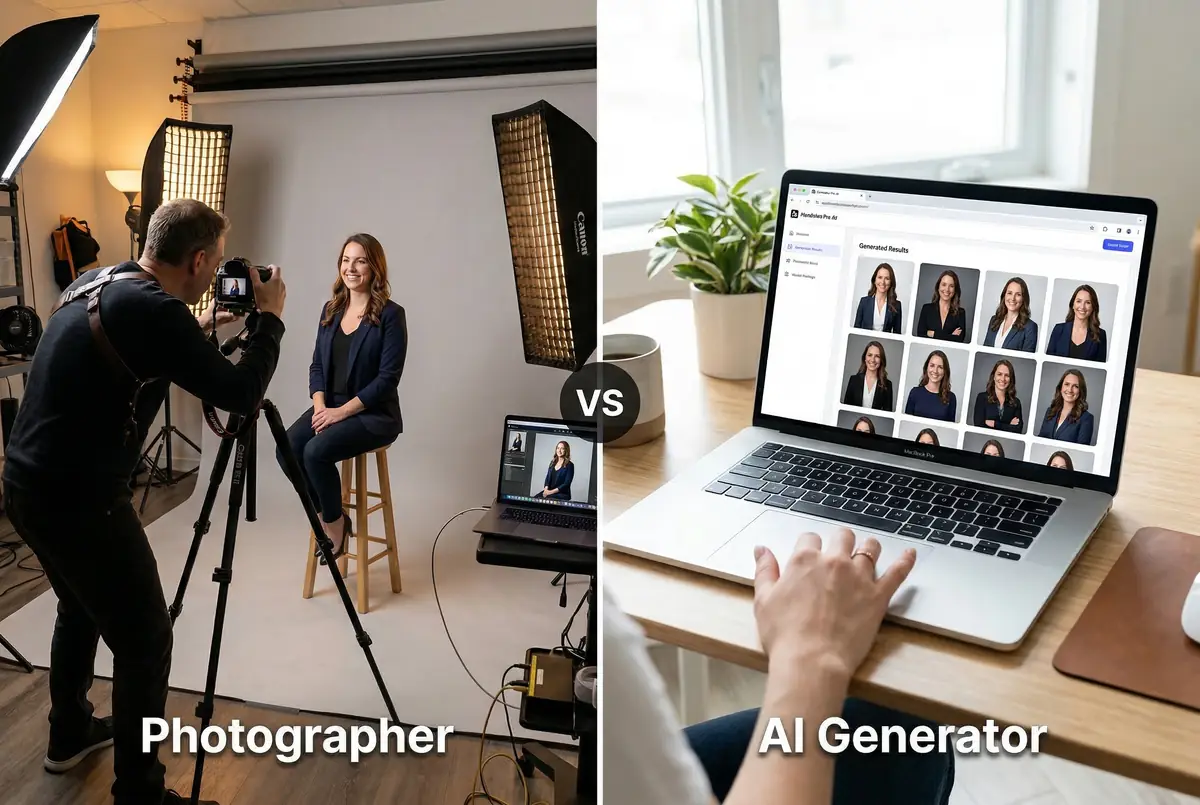
DIY With Your Phone
Use your smartphone with good lighting and a clean background. Prop the phone at eye level (rear camera, not selfie camera), use a 3-second timer, and follow the framing and expression tips in this guide. The results depend entirely on your setup and patience, but a well-executed phone headshot can work for LinkedIn.
Cost: Free. Time: 30-60 minutes. Quality: Variable.
For step-by-step instructions, see our full guide on how to take a professional headshot.
Hire a Professional Photographer
A professional photographer gives you premium results: editorial-quality lighting, creative direction, and multiple poses. This is the best choice for print campaigns, speaker bios for major conferences, and situations where the physical setting is part of the message.
Cost: $150-400 per session. Time: Half a day (booking + session + 1-3 week turnaround). Quality: Premium.
Use an AI Headshot Generator
Upload a single photo to an ai headshot generator and receive professional headshots in under a minute. No booking, no scheduling, no wardrobe decisions. AI generates multiple styles, backgrounds, and outfits from one input photo.
Cost: Starting at $9. Time: Under 1 minute. Quality: Professional for all digital use cases (LinkedIn, company website, email signature, speaker bio).
AI headshot generators are the strongest option for team headshots and executive branding at scale, where consistency matters and coordinating dozens of individual photo sessions is impractical.
| DIY (Phone) | Professional Photographer | AI (ManyPics) | |
|---|---|---|---|
| Cost | $0 | $150-400+ per session | Starting at $9 |
| Time | 30-60 minutes | Half a day + 1-3 weeks | Under 1 minute |
| Quality | Variable | Premium (editorial, print) | Professional for digital and corporate |
| Ideal for | Quick updates, tight budget | Editorial shoots, print campaigns | Team headshots, executive branding, LinkedIn, CV |
| Requires | Setup, patience, decent camera | Budget and scheduling | One photo |
For most professionals updating their linkedin headshot for their profile, company pages, or networking, AI delivers the best balance of quality, speed, and cost. Try the free AI headshot generator to see the results before committing.
Frequently Asked Questions
What size should a LinkedIn headshot be?
LinkedIn requires a minimum of 400x400 pixels and accepts up to 7680x4320 pixels. Upload at 800x800 pixels for the sharpest result after compression. The platform displays your photo as a circle, so center your face and leave margin around the edges.
Should I smile in my LinkedIn headshot?
A slight, natural smile with eye contact is the safest choice for most industries. Profiles with a warm expression receive more connection requests than those with a neutral or serious look. For finance or law, a composed expression with soft eyes works well.
What background works best for a LinkedIn headshot?
Neutral backgrounds in white, light gray, or soft blue perform best across industries. They keep focus on your face and look clean at thumbnail size. Avoid busy environments, red backgrounds, or anything that competes with your expression for attention.
How often should I update my LinkedIn headshot?
Every 1 to 2 years, or whenever your appearance changes significantly. An outdated photo creates a trust gap when recruiters or clients meet you on video and you look different from your profile. Updating also triggers a visibility boost in LinkedIn's algorithm.
Can I use an AI headshot for LinkedIn?
Yes. AI-generated headshots are widely accepted on LinkedIn and visually indistinguishable from traditional studio photos at professional quality. Millions of professionals already use them. The key is choosing a tool that produces natural, high-resolution results.
Does updating my LinkedIn photo affect profile visibility?
Yes. LinkedIn treats profile updates as engagement signals, temporarily boosting your visibility in search results and feeds. Timing a photo update with a new role, certification, or career milestone maximizes the algorithmic benefit.
Your linkedin headshot is the most visible element on your profile and the foundation of your professional first impression on the platform. A clean, professional linkedin photo with the right framing, lighting, and expression makes you 14 times more likely to be found by the people who matter to your career.
You have three options: DIY with a phone, hire a photographer, or use AI. For most professionals, AI delivers the best combination of quality, speed, and cost. Upload one photo to ManyPics' free AI headshot generator, pick a style, and have a polished, LinkedIn-ready headshot in under a minute.





Get your AI headshot